
July 2026 – KXTCGEM V2.0 is released
Compared to previous V1.x versions, V2.0 introduces the following improvements:
-
Supports WinCE TwinCAT PLC
-
Supports stack operation with 64KB capacity
-
GEM Variable, Alarm, and Event definitions are no longer limited to 32KB in length
-
Supports Format/Unformat Recipe menu management
-
Supports Terminal message handling
-
Supports asynchronous processing and responses for remote commands such as S2F21, S2F41, and S2F49
-
Public download link available; even without a formal license, the system runs in full-function mode for 24 hours after each PLC program startup
1. Install SECS/GEM service
1.1 Installation on Windows
Click the link below to download the SECS/GEM service program for Windows 7/8/10/11 and other systems.
📥︎ KXTCGEM_NT.exe (Version 2.1.1.26204)
After extracting the file, copy it to the Windows operating system of the Beckhoff PLC and run the program.
Note: Because the SECS/GEM service needs to listen on a Socket port to accept connections from the factory Host, running the service program requires administrator privileges. After the service starts, it will automatically be added to Windows startup items.
After the service starts, a small icon appears in the taskbar by default. Right-clicking the icon pops up menus:
- Open Diagnosis Window
- Open Logging Directory
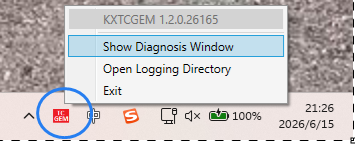
Open the debugging/diagnostics interface, export the PLC machine code file, and email it to sales@kxware.com to purchase an official runtime license.
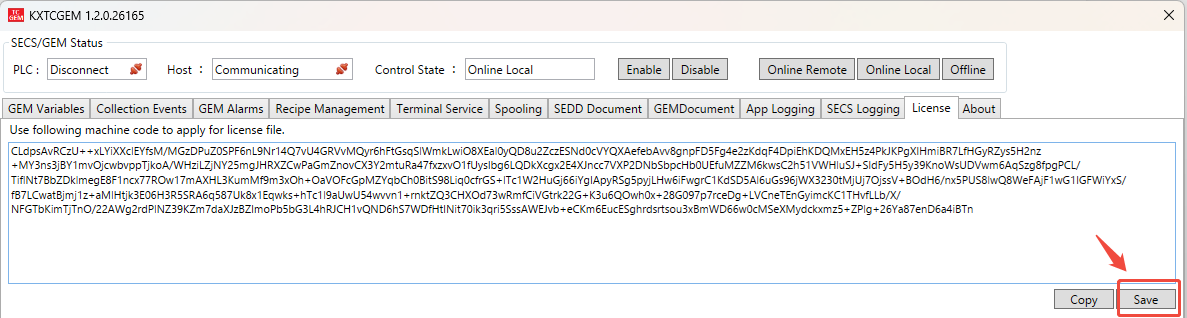
Note: Even without an installed runtime license, the 24-hour trial period will automatically reset each time the PLC program is restarted (not a PLC hardware power cycle). During the trial period, all functions are identical to the official version. Even after the 24-hour trial period expires, only the TCP connection to the factory host will be closed, with no adverse impact on the running PLC program.
Click the “Add License” button, select the runtime license file with the .mc extension, and the authorization process will be completed.
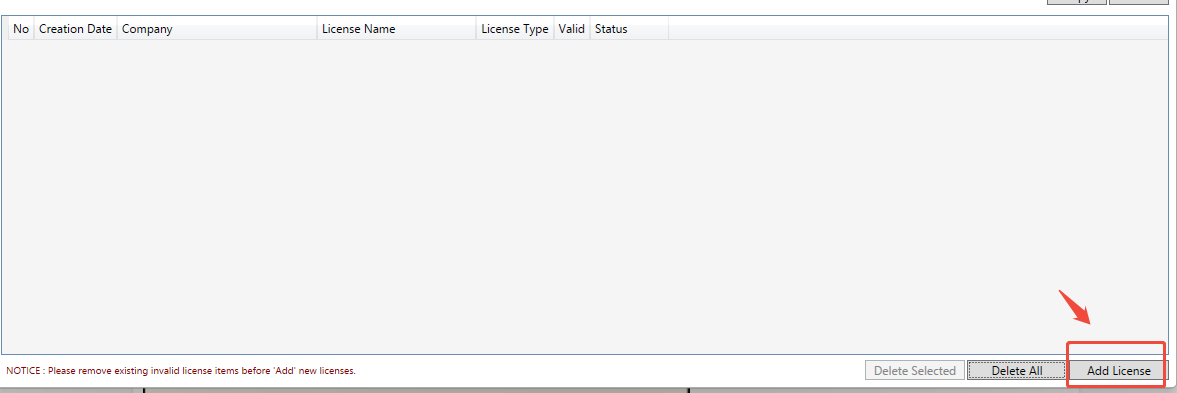
At this point, the installation of the SECS/GEM service program for the Windows operating system is complete.
1.2 Installation on WinCE
Click the link below to download the SECS/GEM service program for Windows CE systems.
📥︎ KXTCGEM_CE.exe (Version 2.1.1.26204)
After extracting the file, copy the program to the PLC via FTP service, then run the program through WinCE Remote Desktop.
Note: For Remote Desktop connection, click the link below to download the WinCE remote login tool.
📥︎ TwinCAT WinCE Remote Desktop Application
After the program starts, it will automatically be added to the WinCE startup items.
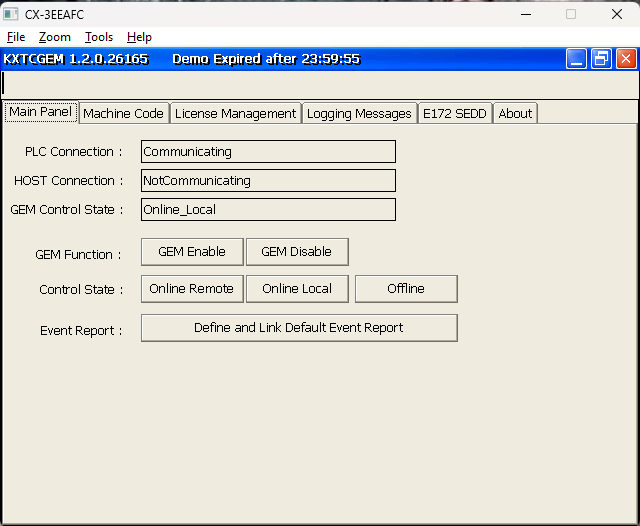
Switch to the “Machine Code” interface, export the PLC machine code file, and email it to sales@kxware.com to purchase an official runtime license.
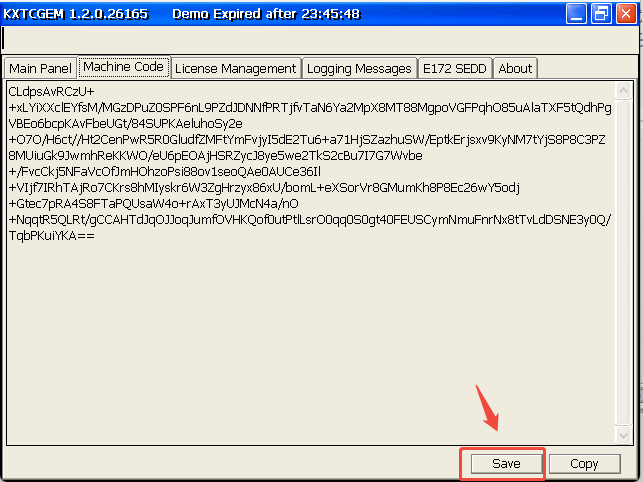
Note: Even without an installed runtime license, the 24-hour trial period will automatically reset each time the PLC program is restarted (not a PLC hardware power cycle). During the trial period, all functions are identical to the official version. Even after the 24-hour trial period expires, only the TCP connection to the factory host will be closed, with no adverse impact on the running PLC program.
Switch to the “License Management” interface, click the “Add License” button, select the runtime license file with the .mc extension, and the authorization process will be completed.
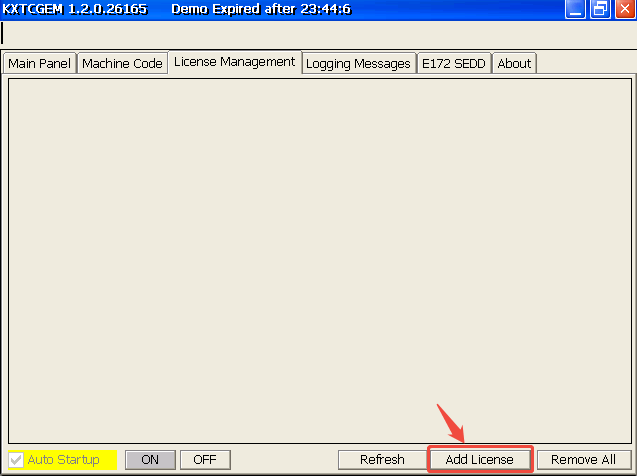
At this point, the installation of the SECS/GEM service program for the WinCE operating system is complete.
2. Run Sample Code
To help users quickly master SECS/GEM integration development based on the KXTCGEM PLC library, we have created a TwinCAT engineering project that demonstrates a semiconductor equipment example. Please click the link below to download the project file.
📥︎ PLC SECS/GEM Sample Project (Version 2.1.1.26204)
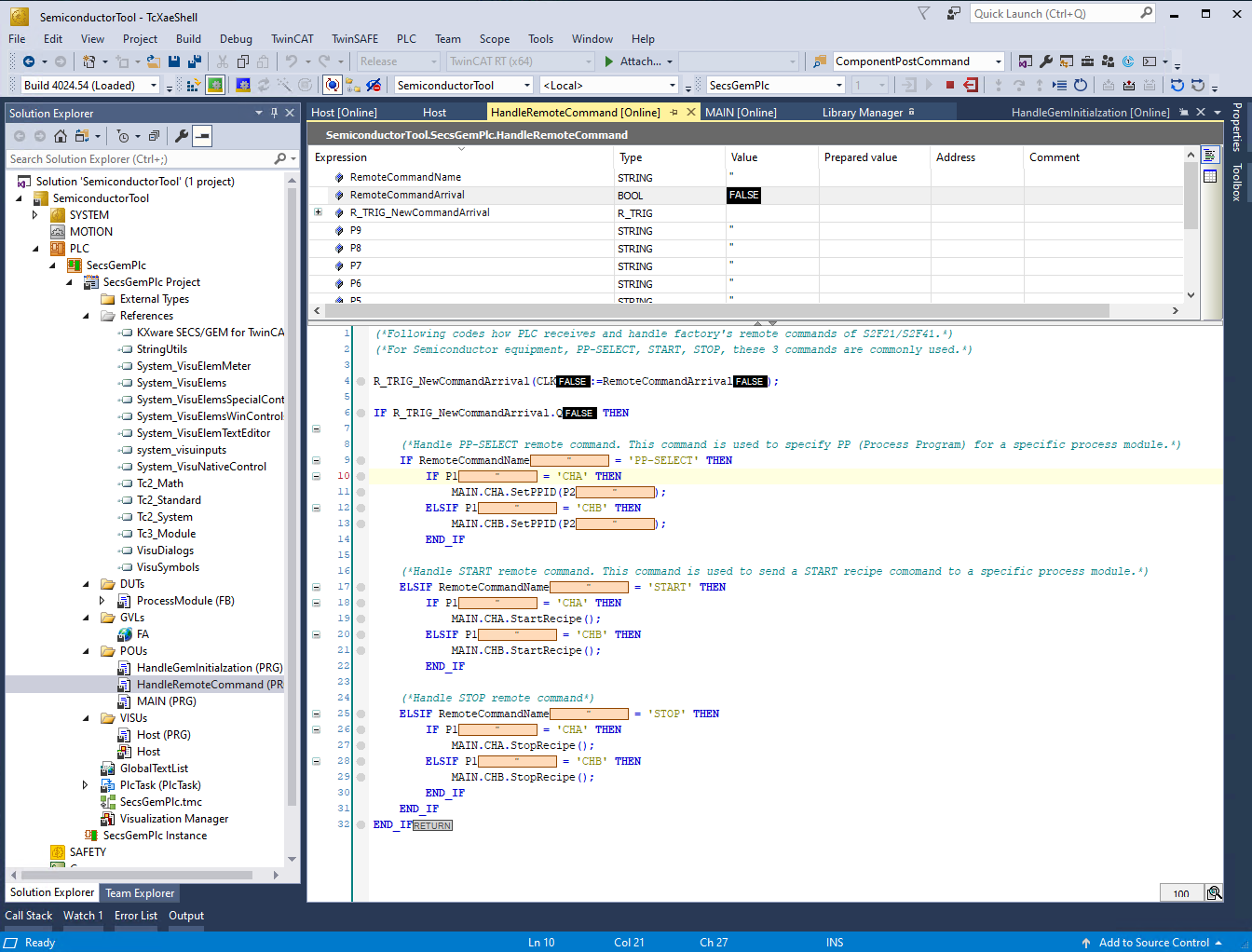
Open the downloaded archive file in TwinCAT 3, select the target PLC, and download/run the program.
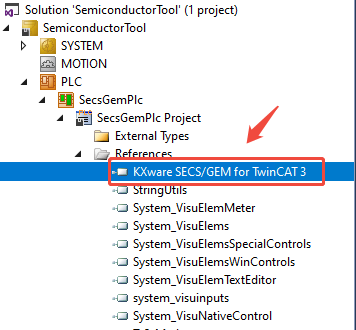
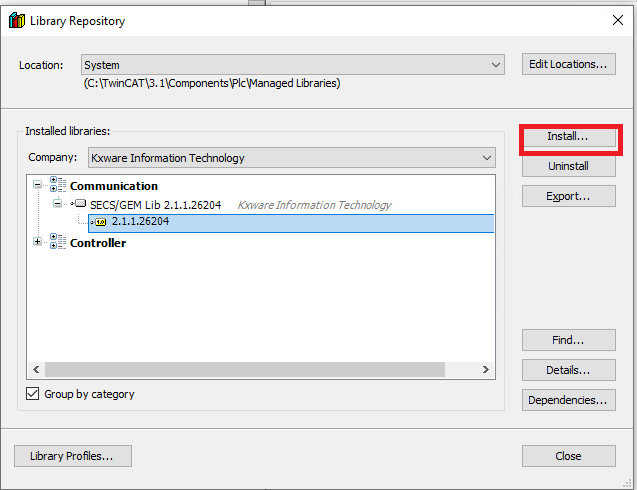
Note: Must update KXTCGEM PLC library file when 1st time open TwinCAT SECS/GEM sample project.
The SECS/GEM library files can be found in the following path after extracting the TwinCAT archived sample project.
SemiconductorTool\_Libraries\kxware information technology\secs_gem lib 2.Xxx\2.xxxx\kxgem_2.xxx.compiled-library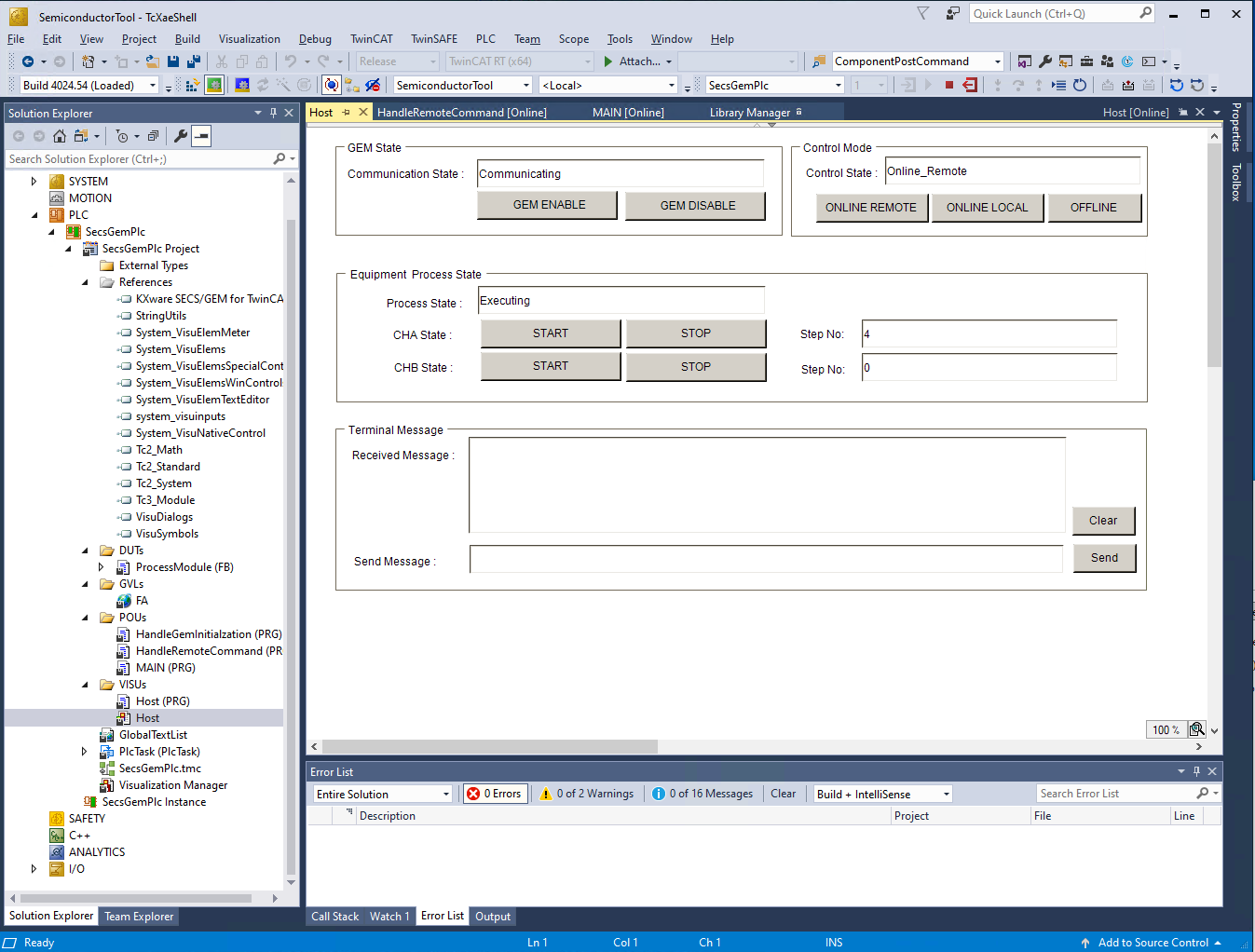
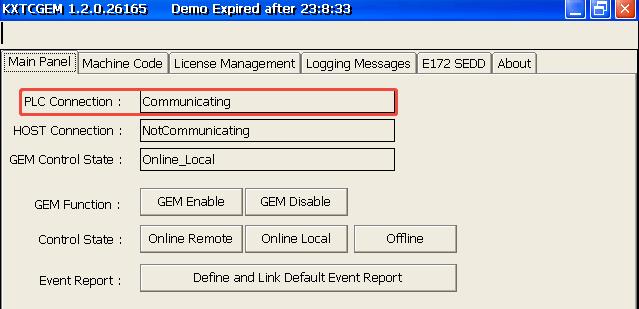
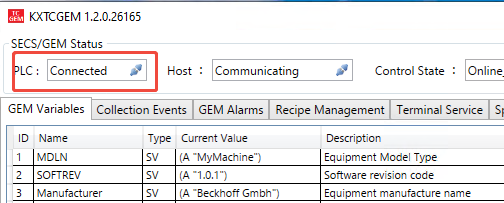
When the PLC status on the Windows/WinCE interface shows “Communicating“, it indicates that the SECS/GEM service has successfully connected to the TwinCAT PLC.
The above is the quick development guide for KXTCGEM. If you encounter technical issues during use, please feel free to send an email to support@kxware.com to get in touch with our technical team.